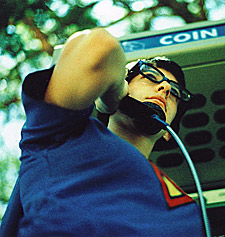
 Look up in the Skype!
It's a phone!
It's a bane (for long-distance telecommunications providers)!
I am a Skype newbie.
So I don't pretend to know all there is to know about this eBay-owned Internet telephone service ([url=http://www.skype.com]http://www.skype.com[/url]). For techies, it's a proprietary peer-to-peer Internet telephony (VoIP) network, founded by Niklas Zennström and Janus Friis, the creators of KaZaA, and competing against established open VoIP protocols like SIP, IAX, or H.323.
What I do know is that in the last 48 hours, Skype has made it possible for me to catch up with missionary friends in Chiang Rai, Thailand; chat with a fellowship leader I trained years ago now living with his wife in Midlands, USA; yak with a tent-making couple working and ministering in Beijing, China; and spend family time online with my sister-in-law and her family in Wollongong, Australia, all for" (my favourite word) FREE!
How to use Skype for ministry?
For my congregation at Asian Bible Church, for example, the possibilities are mind-boggling. One of our challenges is keeping up with members who head back to their home countries after their study or work here in Australia. I can foresee that Skype will become a valuable tool, enabling us to keep in contact with them, encouraging them on in their Christian lives, sometimes in countries extremely hostile to the message of Jesus Christ.
How about for your congregation? Are there long-lost contacts you can track down and say "hi" to? What about members who have moved inter-state or overseas for work or study? What about stay-at-home mums who find it hard to get to church activities but are actively online?
There are limitations of course:
- The sound quality is pretty good (surprisingly so in some cases), but not as good as a telephone line.
- Depending on your connection speed, there might be those annoying time-delays between you speaking and them hearing, and vice-versa (or you could just play walkie-talkies and end every time you speak with "over").
- The other party must also have downloaded the Skype program, have an Internet connection, and the requisite microphone and earphones/speakers.
How to Skype:
1. Get a headset with microphone. Yes, you will feel like a telemarketer in a call centre, unless you get one of those cool futuristic brushed-steel jobs that make you look like an extra from the latest science-fiction actioner!
2. Plug in headphone cord to headphone jack, and microphone cord to microphone jack on your PC or laptop.
3. Surf the Internet to [url=http://www.skype.com]http://www.skype.com[/url] and register.
4. Download the software. Fire it up. And start searching for friends!
Up, up and away!
Andrew is Sydneyanglicans.net’s resident digital scholar and the pastor of the new Asian Bible Church (ABC), a congregation of St Andrew's Cathedral, Sydney.